
Live subtitles for your
event, in 60 languages.
Make the same event useful to a much wider audience.
|

Your event is already multilingual.
At a service, lecture, ceremony, member meeting or public event, people can be present without being able to follow. They rely on a neighbour, translate fragments in their head, or quietly tune out.
TRQR gives them a direct way to follow the speaker without changing the programme, staffing a translation desk or asking attendees to identify themselves.
One-language programming can serve many language groups without multiplying your event team.



Know whether the room
can follow.
See how many attendees are reading, which languages are active and whether connections are healthy. Act before a small issue becomes an audience problem.

Nothing to install, nothing to sign up for.
Attendees open a link and read. TRQR stays out of their way: their own phone, their own language, no questions asked.

Pick a language once.
The choice is remembered for the event, and switching takes one tap.

Stay anonymous.
Joining is just opening a page. No login, no personal details.

Miss a line? Scroll back.
Recent subtitles stay on screen, so a glance away loses nothing.

Built for venue Wi-Fi.
If a phone drops for a moment, captions pick up exactly where they left off.
Joining takes five seconds.
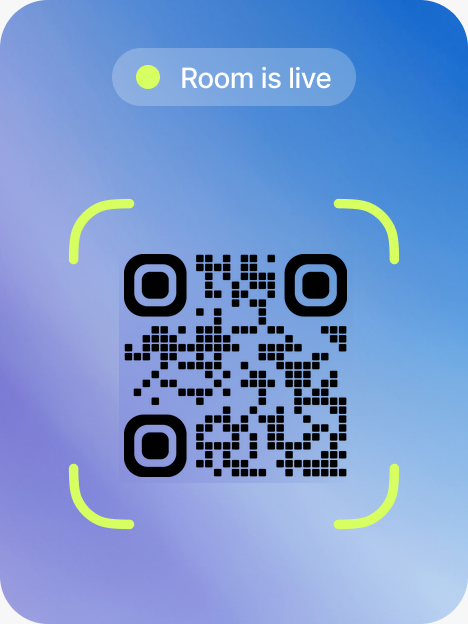
On any device: open the camera app and scan the QR code on the screen or handout.
Make one event useful in more than one language
Choose the languages your audience actually needs. Every attendee chooses independently on their phone, from 60 available worldwide.
Reach more people without adding event-day complexity.
Serve the audience you already have.
Visitors, students, members and guests can follow directly instead of relying on fragments or a neighbour.

Remove attendee friction.
They scan and read. No app, account, payment or visit to an information desk.

Keep your existing setup.
TRQR runs in a browser and listens through your microphone. The programme does not need to change.

Give people captions they can use.
Words appear as they are spoken, refine in place, and remain available when someone needs to scroll back.

Run repeat events consistently.
Saved event settings and an audio check reduce setup work and catch problems before the speaker starts.

Use it when it earns its place.
Pay from prepaid credit when you run an event. No subscription or contract; attendees never pay.
Runs on the gear already in the room.
TRQR captures audio in the browser on one laptop. Any input that laptop can select works: the built-in mic, a USB mic, or a feed from your mixing desk presented as an audio input. No installs, no drivers, no extra hardware.

 TRQR provides
Languages
Attendees choose from 60. Up to 3 are translated live at the same time during the beta; if your programme needs more, tell us about it when you apply.

Scope
TRQR is deliberately lighter than a full interpretation rig. One room, one speaker, no rack unit and no video-wall production system.
A practical cost for recurring events.
A one-hour event with one language costs about $5. Run it weekly and that is about $20 a month before additional languages. Simple enough to test once; predictable enough to plan as a regular service.
One language included.
Answers before you ask.
The practical details organisers usually check before their first event.
What do attendees need?
A phone with a browser. They scan the QR code, pick a language and read along. No app, no account, and it is free for them.
Can people join without scanning?
Yes. Every event also gets a short link and a word code. Anyone can type it into the event code field on this page, or open the link directly.
Which languages can we offer?
Attendees choose from 60 languages. During the beta, up to 3 languages are translated live at the same time. If your event needs more, tell us when you apply.
What does it cost?
$5 per event hour with one language included, paid from prepaid credit. No subscription, no contract, and attendees never pay. Additional languages draw from the same credit.
Is the audio recorded?
No. TRQR captions speech live, and this version does not retain raw audio. Attendees stay anonymous throughout.
What if the venue Wi-Fi is shaky?
Captions carry on. If a phone drops for a moment, the stream resumes exactly where it left off, and recent lines stay on screen in the meantime.
What does the private beta mean?
You apply with the form below, we set your event up together, and we stay reachable while it runs. Same product, with our team close by.
Where TRQR fits today.
 Great for

One room, one speaker and a multilingual audience.

Talks, services, lectures, ceremonies and member meetings.

Sessions from a few minutes to a few hours.
 Not yet

Multi-speaker panels and parallel stages.

All-day marathon programmes.

Fully private, gated events.
The second column is the roadmap, not the fine print. If your event lives there, apply anyway and we will tell you honestly when it fits.
Apply for the beta.
Tell us about your event and we'll get you set up. Pricing is simple: $5 per hour, one language included.